 Matan Kushner







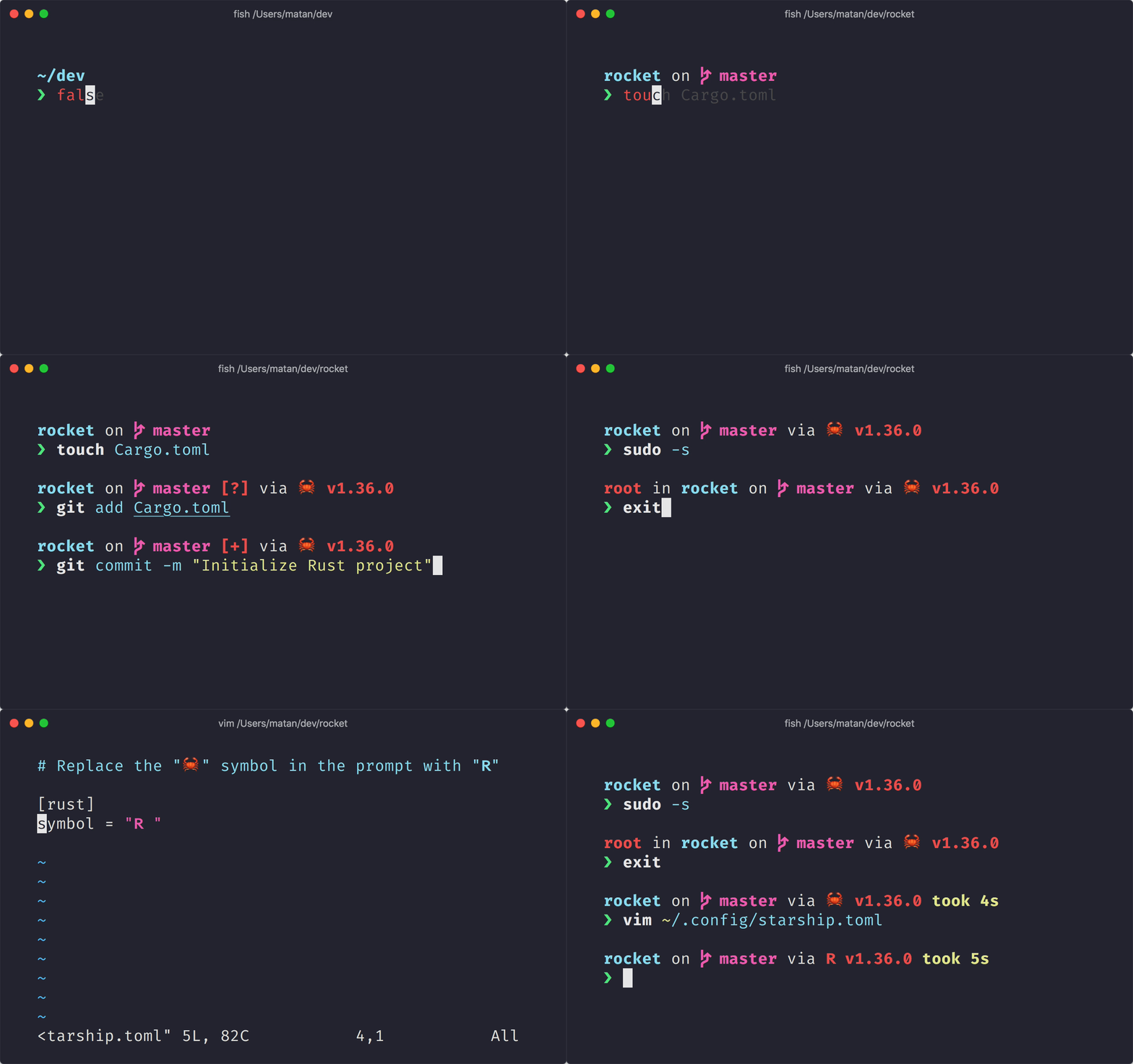
The minimal, blazing-fast, and infinitely customizable prompt for any shell!
- ** Fast:** 빨라요 – 엄청 엄청 빠릅니다! 🚀
- ** Customizable:** 프롬프트의 모든 측면을 커스텀 가능합니다.
- Universal: 어떤 쉘 위에서도, 어떤 운영체제 위에서도 동작합니다.
- Intelligent: 관련 정보를 한눈에 보여줍니다.
- Feature rich: 원하는 모든 도구를 지원합니다.
- Easy: 빠른 설치 - 몇 분 안에 사용할 수 있습니다.
🚀 설치
준비 사항
- 터미널에 Nerd Font가 설치되어 있고 사용 가능해야 합니다. (ex. Fira Code Nerd Font)
Step 1. Starship 설치하기
아래의 목록 중 해당하는 운영체제를 골라 설치 지침을 확인하세요:
Android
Install Starship using any of the following package managers:
| Repository | Instructions |
|---|---|
| Termux | pkg install starship |
BSD
Install Starship using any of the following package managers:
| Distribution | Repository | Instructions |
|---|---|---|
| Any | crates.io | cargo install starship --locked |
| FreeBSD | FreshPorts | pkg install starship |
| NetBSD | pkgsrc | pkgin install starship |
Linux
Install the latest version for your system:
curl -sS https://starship.rs/install.sh | sh
Alternatively, install Starship using any of the following package managers:
| Distribution | Repository | Instructions |
|---|---|---|
| Any | crates.io | cargo install starship --locked |
| Any | conda-forge | conda install -c conda-forge starship |
| Any | Linuxbrew | brew install starship |
| Any | Snapcraft | snap install starship |
| Alpine Linux 3.13+ | Alpine Linux Packages | apk add starship |
| Arch Linux | Arch Linux Community | pacman -S starship |
| CentOS 7+ | Copr | dnf copr enable atim/starship dnf install starship |
| Fedora 31+ | Fedora Packages | dnf install starship |
| NixOS | nixpkgs | nix-env -iA nixos.starship |
| Gentoo | Gentoo Packages | emerge app-shells/starship |
| Manjaro | pacman -S starship |
|
| NixOS | nixpkgs | nix-env -iA nixpkgs.starship |
| Void Linux | Void Linux Packages | xbps-install -S starship |
macOS
Install the latest version for your system:
curl -sS https://starship.rs/install.sh | sh
Alternatively, install Starship using any of the following package managers:
| Repository | Instructions |
|---|---|
| crates.io | cargo install starship --locked |
| conda-forge | conda install -c conda-forge starship |
| Homebrew | brew install starship |
| MacPorts | port install starship |
Windows
Install Starship using any of the following package managers:
| Repository | Instructions |
|---|---|
| crates.io | cargo install starship --locked |
| Chocolatey | choco install starship |
| conda-forge | conda install -c conda-forge starship |
| Scoop | scoop install starship |
Step 2. 쉘에 Starship 적용하기
쉘에 Starship 초기 설정을 합니다. 아래의 리스트 중에 해당하는 것을 고르세요:
Bash
~/.bashrc의 끝부분에 아래 라인을 추가:
eval "$(starship init bash)"
Cmd
Cmd를 이용하려면 Clink (v1.2.30+) 를 사용해야 합니다. Create a file at this path %LocalAppData%\clink\starship.lua with the following contents:
load(io.popen('starship init cmd'):read("*a"))()
Elvish
~/.elvish/rc.elv 의 끝부분에 아래 라인을 추가:
eval (starship init elvish)
Note: Only Elvish v0.17+ is supported
Fish
~/.config/fish/config.fish의 끝부분에 아래 라인을 추가:
starship init fish | source
Ion
~/.config/ion/initrc 의 끝부분에 아래 라인을 추가:
eval $(starship init ion)
Nushell
Add the following to the end of your Nushell configuration (find it by running config path):
startup = [
  "mkdir ~/.cache/starship",
  "starship init nu | save ~/.cache/starship/init.nu",
  "source ~/.cache/starship/init.nu",
]
prompt = "starship_prompt"
Powershell
Add the following to the end of your PowerShell configuration (find it by running $PROFILE):
Invoke-Expression (&starship init powershell)
Tcsh
~/.tcshrc 의 끝부분에 아래 라인을 추가:
eval `starship init tcsh`
Xonsh
~/.xonshrc 의 끝부분에 아래 라인을 추가:
execx($(starship init xonsh))
Zsh
~/.zshrc의 끝부분에 아래 라인을 추가
eval "$(starship init zsh)"
Step 3. Starship 설정하기
새로운 쉘 인스턴스를 시작하면 아름다운 새 쉘 프롬프트를 볼 수 있습니다. 기본 설정에 만족한다면, 즐기세요!
Starship을 추가로 커스터마이징 하고싶다면:
-
Configuration – 원하는대로 프롬프트를 수정할 수 있도록 Starship 설정을 배울 수 있습니다.
-
Presets – 다른 사람들이 만들어둔 설정들을 보고 영감을 받을 수 있습니다.
🤝 기여
We are always looking for contributors of all skill levels! If you're looking to ease your way into the project, try out a good first issue.
If you are fluent in a non-English language, we greatly appreciate any help keeping our docs translated and up-to-date in other languages. If you would like to help, translations can be contributed on the Starship Crowdin.
If you are interested in helping contribute to starship, please take a look at our Contributing Guide. Also, feel free to drop into our Discord server and say hi. 👋
💭 Inspired By
Please check out these previous works that helped inspire the creation of starship. 🙏
-
denysdovhan/spaceship-prompt – A ZSH prompt for astronauts.
-
denysdovhan/robbyrussell-node – Cross-shell robbyrussell theme written in JavaScript.
-
reujab/silver – A cross-shell customizable powerline-like prompt with icons.

📝라이선스
Copyright © 2019-present, Starship Contributors.
This project is ISC licensed.