




Website · Installation · Configuration


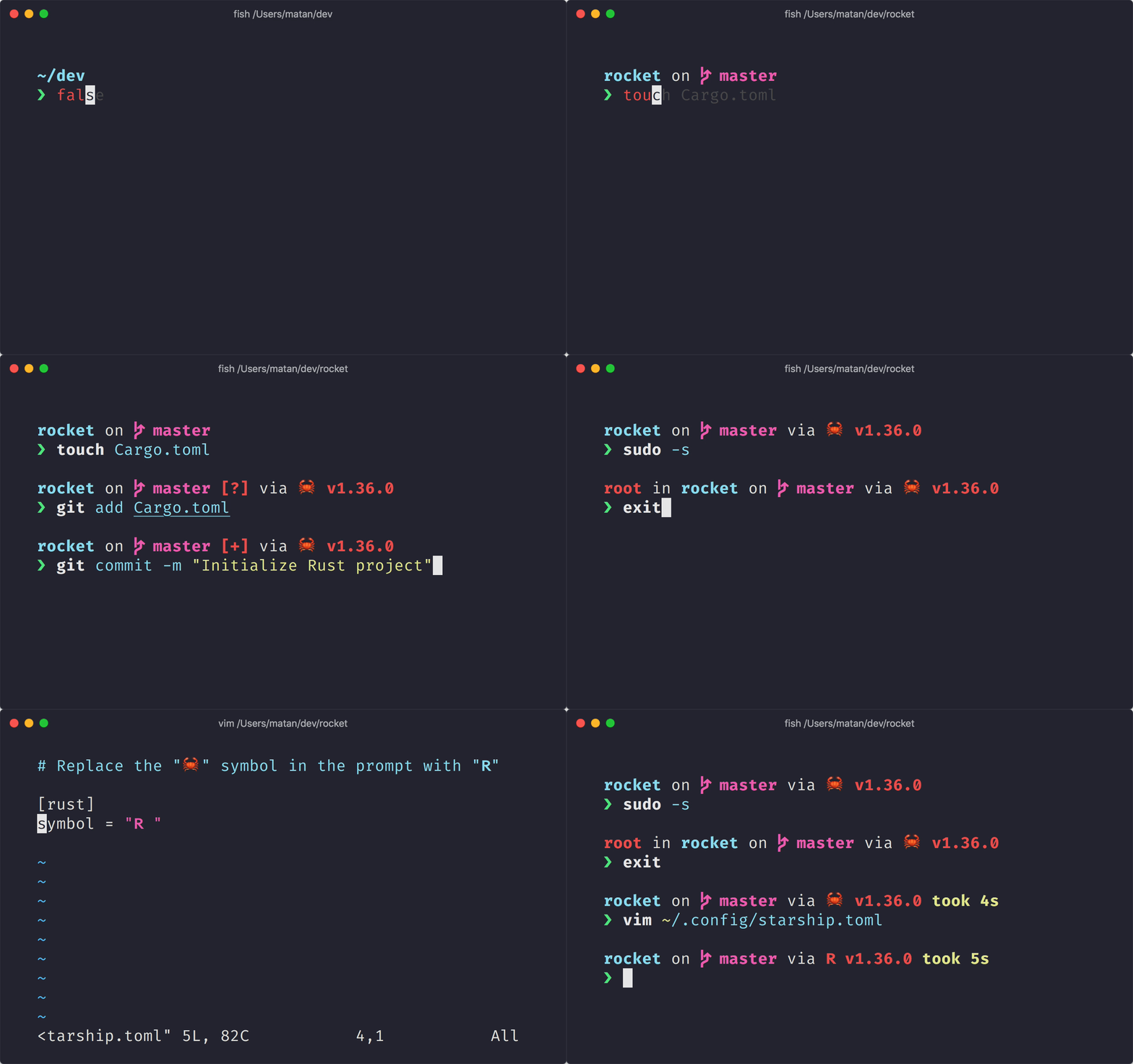 **The minimal, blazing-fast, and infinitely customizable prompt for any shell!**
- **Fast:** it's fast – _really really_ fast! 🚀
- **Customizable:** configure every aspect of your prompt.
- **Universal:** works on any shell, on any operating system.
- **Intelligent:** shows relevant information at a glance.
- **Feature rich:** support for all your favorite tools.
- **Easy:** quick to install – start using it in minutes.
## 🚀 安裝
### 先決要求
- A [Nerd Font](https://www.nerdfonts.com/) installed and enabled in your terminal (for example, try the [Fira Code Nerd Font](https://www.nerdfonts.com/font-downloads)).
### 入門
1. 安裝 **starship** 執行檔:
#### Install Latest Version
##### From prebuilt binary, with Shell:
```sh
curl -fsSL https://starship.rs/install.sh | bash
```
##### From source on [crates.io](https://crates.io/):
```sh
cargo install starship
```
#### Install via Package Manager
##### With [Homebrew](https://brew.sh/):
```sh
brew install starship
```
##### With [Scoop](https://scoop.sh):
```powershell
scoop install starship
```
1. 將初始化腳本 (script) 加入你的 shell 的設定檔:
#### Bash
將以下內容放到 `~/.bashrc` 的結尾:
```sh
# ~/.bashrc
eval "$(starship init bash)"
```
#### Fish
將以下內容放到 `~/.config/fish/config.fish` 的結尾:
```sh
# ~/.config/fish/config.fish
starship init fish | source
```
#### Zsh
將以下內容放到 `~/.zshrc` 的結尾:
```sh
# ~/.zshrc
eval "$(starship init zsh)"
```
#### PowerShell
將以下內容放到 `~\Documents\PowerShell\Microsoft.PowerShell_profile.ps1` 的結尾 (或是在 -Nix 上的 `~/.config/powershell/Microsoft.PowerShell_profile.ps1`):
```sh
Invoke-Expression (&starship init powershell)
```
#### Ion
Add the following to the end of `~/.config/ion/initrc`:
```sh
# ~/.config/ion/initrc
eval $(starship init ion)
```
## 🤝 貢獻
我們歡迎具有**各式各樣能力**的貢獻者! 如果你正在尋找容易加入的方法,試試看標註為「[good first issue](https://github.com/starship/starship/labels/🌱%20good%20first%20issue)」的 issue。
如果你對貢獻 Starship 有興趣,請看我們的 [貢獻指南](https://github.com/starship/starship/blob/master/CONTRIBUTING.md) 。 另外,請不用客氣加入我們的 [Discord 伺服器](https://discord.gg/8Jzqu3T) 並來問候一下。 👋
### Code Contributors
This project exists thanks to all the people who contribute. [[Contribute](https://github.com/starship/starship/blob/master/CONTRIBUTING.md)].
**The minimal, blazing-fast, and infinitely customizable prompt for any shell!**
- **Fast:** it's fast – _really really_ fast! 🚀
- **Customizable:** configure every aspect of your prompt.
- **Universal:** works on any shell, on any operating system.
- **Intelligent:** shows relevant information at a glance.
- **Feature rich:** support for all your favorite tools.
- **Easy:** quick to install – start using it in minutes.
## 🚀 安裝
### 先決要求
- A [Nerd Font](https://www.nerdfonts.com/) installed and enabled in your terminal (for example, try the [Fira Code Nerd Font](https://www.nerdfonts.com/font-downloads)).
### 入門
1. 安裝 **starship** 執行檔:
#### Install Latest Version
##### From prebuilt binary, with Shell:
```sh
curl -fsSL https://starship.rs/install.sh | bash
```
##### From source on [crates.io](https://crates.io/):
```sh
cargo install starship
```
#### Install via Package Manager
##### With [Homebrew](https://brew.sh/):
```sh
brew install starship
```
##### With [Scoop](https://scoop.sh):
```powershell
scoop install starship
```
1. 將初始化腳本 (script) 加入你的 shell 的設定檔:
#### Bash
將以下內容放到 `~/.bashrc` 的結尾:
```sh
# ~/.bashrc
eval "$(starship init bash)"
```
#### Fish
將以下內容放到 `~/.config/fish/config.fish` 的結尾:
```sh
# ~/.config/fish/config.fish
starship init fish | source
```
#### Zsh
將以下內容放到 `~/.zshrc` 的結尾:
```sh
# ~/.zshrc
eval "$(starship init zsh)"
```
#### PowerShell
將以下內容放到 `~\Documents\PowerShell\Microsoft.PowerShell_profile.ps1` 的結尾 (或是在 -Nix 上的 `~/.config/powershell/Microsoft.PowerShell_profile.ps1`):
```sh
Invoke-Expression (&starship init powershell)
```
#### Ion
Add the following to the end of `~/.config/ion/initrc`:
```sh
# ~/.config/ion/initrc
eval $(starship init ion)
```
## 🤝 貢獻
我們歡迎具有**各式各樣能力**的貢獻者! 如果你正在尋找容易加入的方法,試試看標註為「[good first issue](https://github.com/starship/starship/labels/🌱%20good%20first%20issue)」的 issue。
如果你對貢獻 Starship 有興趣,請看我們的 [貢獻指南](https://github.com/starship/starship/blob/master/CONTRIBUTING.md) 。 另外,請不用客氣加入我們的 [Discord 伺服器](https://discord.gg/8Jzqu3T) 並來問候一下。 👋
### Code Contributors
This project exists thanks to all the people who contribute. [[Contribute](https://github.com/starship/starship/blob/master/CONTRIBUTING.md)].
 ### Financial Contributors
Become a financial contributor and help us sustain our community. [[Contribute](https://opencollective.com/starship/contribute)]
#### Individuals
### Financial Contributors
Become a financial contributor and help us sustain our community. [[Contribute](https://opencollective.com/starship/contribute)]
#### Individuals
 #### Organizations
Support this project with your organization. Your logo will show up here with a link to your website. [[Contribute](https://opencollective.com/starship/contribute)]
#### Organizations
Support this project with your organization. Your logo will show up here with a link to your website. [[Contribute](https://opencollective.com/starship/contribute)]








 ## 💭 發想來自
請看之前這些幫助我們創造 Starship 的前任作品。 🙏
- **[denysdovhan/spaceship-prompt](https://github.com/denysdovhan/spaceship-prompt)** - 給太空人的 ZSH 提示。
- **[denysdovhan/robbyrussell-node](https://github.com/denysdovhan/robbyrussell-node)** - 使用 Javascript 撰寫的跨 shell robbyrussell 主題。
- **[reujab/silver](https://github.com/reujab/silver)** - 一個跨 shell、可客製化、像 powerline 的圖案提示字元。
## 💭 發想來自
請看之前這些幫助我們創造 Starship 的前任作品。 🙏
- **[denysdovhan/spaceship-prompt](https://github.com/denysdovhan/spaceship-prompt)** - 給太空人的 ZSH 提示。
- **[denysdovhan/robbyrussell-node](https://github.com/denysdovhan/robbyrussell-node)** - 使用 Javascript 撰寫的跨 shell robbyrussell 主題。
- **[reujab/silver](https://github.com/reujab/silver)** - 一個跨 shell、可客製化、像 powerline 的圖案提示字元。