






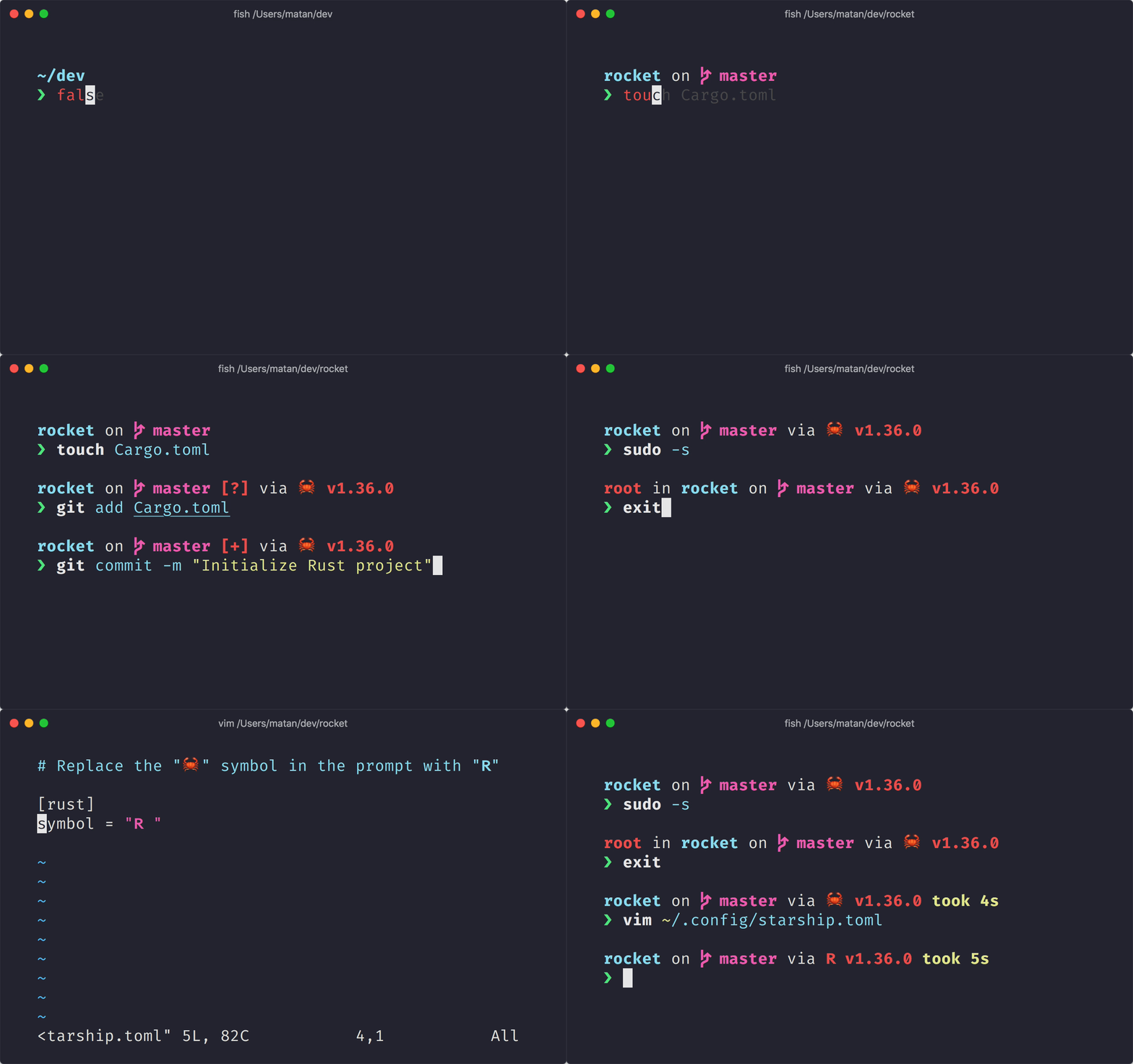
 **シェル用の最小限の、非常に高速で、無限にカスタマイズ可能なプロンプトです!**
- **高速:** _本当に_ 高速です! 🚀
- **カスタマイズ可能:** プロンプトのあらゆる側面を構成します。
- **ユニバーサル:** あらゆるシェル、あらゆるオペレーティングシステムで動作します。
- **インテリジェント:** 関連情報を一目で示します。
- **豊富な機能:** お気に入りのツールをすべてサポートします。
- **簡単:** 迅速なインストールが可能であり、数分で使用開始可能です。
## 🚀 インストール
### 必要なもの
- A [Nerd Font](https://www.nerdfonts.com/) installed and enabled in your terminal (for example, try the [Fira Code Nerd Font](https://www.nerdfonts.com/font-downloads)).
### 入門
1. **Starship** のバイナリをインストール
#### 最新版のインストール
##### ビルド済みのバイナリをインストール
```sh
curl -fsSL https://starship.rs/install.sh | bash
```
##### [crates.io](https://crates.io/)からソースをインストール
```sh
cargo install starship
```
#### パッケージマネージャー経由でインストール
##### [ Homebrew ](https://brew.sh/)の場合:
```sh
brew install starship
```
##### [ Scoop ](https://scoop.sh)の場合:
```powershell
scoop install starship
```
1. 初期化のためのスクリプトをシェルの設定ファイルに追加
#### Bash
`~/.bashrc` の最後に以下を追記してください
```sh
# ~/.bashrc
eval "$(starship init bash)"
```
#### Fish
`~/.config/fish/config.fish` の最後に以下を追記してください
```sh
# ~/.config/fish/config.fish
starship init fish | source
```
#### Zsh
`~/.zshrc` の最後に以下を追記してください
```sh
# ~/.zshrc
eval "$(starship init zsh)"
```
#### PowerShell
`~\Documents\PowerShell\Microsoft.PowerShell_profile.ps1` (それか Nix上の `~/.config/powershell/Microsoft.PowerShell_profile.ps1` )の末尾に以下を追加してください。
```sh
Invoke-Expression (&starship init powershell)
```
#### Ion
`~/.config/ion/initrc `の最後に次を追加してください
```sh
# ~/.config/ion/initrc
eval $(starship init ion)
```
## 🤝 貢献
私たちは常に**すべてのスキルレベル**の貢献者を探しています! もし簡単にプロジェクトへ参加する方法をお探しなら、 [good first issue](https://github.com/starship/starship/labels/🌱%20good%20first%20issue) に取り組んでみてください。
もしあなたが Starship への貢献に興味がある場合は、我々の[貢献ガイド](https://github.com/starship/starship/blob/master/CONTRIBUTING.md)をご覧ください。 また、気軽に我々の[Discord サーバー](https://discord.gg/8Jzqu3T)へ顔を出してください。 👋
### コードに貢献していただいた方々
このプロジェクトは、貢献したすべての人々のおかげで存在します。 [[Contribute](https://github.com/starship/starship/blob/master/CONTRIBUTING.md)].
**シェル用の最小限の、非常に高速で、無限にカスタマイズ可能なプロンプトです!**
- **高速:** _本当に_ 高速です! 🚀
- **カスタマイズ可能:** プロンプトのあらゆる側面を構成します。
- **ユニバーサル:** あらゆるシェル、あらゆるオペレーティングシステムで動作します。
- **インテリジェント:** 関連情報を一目で示します。
- **豊富な機能:** お気に入りのツールをすべてサポートします。
- **簡単:** 迅速なインストールが可能であり、数分で使用開始可能です。
## 🚀 インストール
### 必要なもの
- A [Nerd Font](https://www.nerdfonts.com/) installed and enabled in your terminal (for example, try the [Fira Code Nerd Font](https://www.nerdfonts.com/font-downloads)).
### 入門
1. **Starship** のバイナリをインストール
#### 最新版のインストール
##### ビルド済みのバイナリをインストール
```sh
curl -fsSL https://starship.rs/install.sh | bash
```
##### [crates.io](https://crates.io/)からソースをインストール
```sh
cargo install starship
```
#### パッケージマネージャー経由でインストール
##### [ Homebrew ](https://brew.sh/)の場合:
```sh
brew install starship
```
##### [ Scoop ](https://scoop.sh)の場合:
```powershell
scoop install starship
```
1. 初期化のためのスクリプトをシェルの設定ファイルに追加
#### Bash
`~/.bashrc` の最後に以下を追記してください
```sh
# ~/.bashrc
eval "$(starship init bash)"
```
#### Fish
`~/.config/fish/config.fish` の最後に以下を追記してください
```sh
# ~/.config/fish/config.fish
starship init fish | source
```
#### Zsh
`~/.zshrc` の最後に以下を追記してください
```sh
# ~/.zshrc
eval "$(starship init zsh)"
```
#### PowerShell
`~\Documents\PowerShell\Microsoft.PowerShell_profile.ps1` (それか Nix上の `~/.config/powershell/Microsoft.PowerShell_profile.ps1` )の末尾に以下を追加してください。
```sh
Invoke-Expression (&starship init powershell)
```
#### Ion
`~/.config/ion/initrc `の最後に次を追加してください
```sh
# ~/.config/ion/initrc
eval $(starship init ion)
```
## 🤝 貢献
私たちは常に**すべてのスキルレベル**の貢献者を探しています! もし簡単にプロジェクトへ参加する方法をお探しなら、 [good first issue](https://github.com/starship/starship/labels/🌱%20good%20first%20issue) に取り組んでみてください。
もしあなたが Starship への貢献に興味がある場合は、我々の[貢献ガイド](https://github.com/starship/starship/blob/master/CONTRIBUTING.md)をご覧ください。 また、気軽に我々の[Discord サーバー](https://discord.gg/8Jzqu3T)へ顔を出してください。 👋
### コードに貢献していただいた方々
このプロジェクトは、貢献したすべての人々のおかげで存在します。 [[Contribute](https://github.com/starship/starship/blob/master/CONTRIBUTING.md)].
 ### 財政的な貢献をしていただいた方々
財政的な貢献者になって、私たちのコミュニティを維持するのを助けていただけると嬉しいです。 [[Contribute](https://opencollective.com/starship/contribute)]
#### 個人
### 財政的な貢献をしていただいた方々
財政的な貢献者になって、私たちのコミュニティを維持するのを助けていただけると嬉しいです。 [[Contribute](https://opencollective.com/starship/contribute)]
#### 個人
 #### 組織
あなたの組織でこのプロジェクトをサポートします。 あなたのロゴはあなたのウェブサイトへのリンクとここに表示されます。 [[Contribute](https://opencollective.com/starship/contribute)]
#### 組織
あなたの組織でこのプロジェクトをサポートします。 あなたのロゴはあなたのウェブサイトへのリンクとここに表示されます。 [[Contribute](https://opencollective.com/starship/contribute)]








 ## 💭影響を受けたプロダクト
よければStarship の作成に影響を与えた、これまでのプロジェクトをチェックしてください 🙏
- **[denysdovhan/spaceship-prompt](https://github.com/denysdovhan/spaceship-prompt)** - 宇宙飛行士のための ZSH プロンプト。
- **[denysdovhan/robbyrussell-node](https://github.com/denysdovhan/robbyrussell-node)** - 多くの shell に対応した JavaScript で書かれた robbyrussell テーマ。
- **[reujab/silver](https://github.com/reujab/silver)** - 多くの shell に対応しているカスタマイズ可能でアイコンを表示できる powerline のようなプロンプト。
## 💭影響を受けたプロダクト
よければStarship の作成に影響を与えた、これまでのプロジェクトをチェックしてください 🙏
- **[denysdovhan/spaceship-prompt](https://github.com/denysdovhan/spaceship-prompt)** - 宇宙飛行士のための ZSH プロンプト。
- **[denysdovhan/robbyrussell-node](https://github.com/denysdovhan/robbyrussell-node)** - 多くの shell に対応した JavaScript で書かれた robbyrussell テーマ。
- **[reujab/silver](https://github.com/reujab/silver)** - 多くの shell に対応しているカスタマイズ可能でアイコンを表示できる powerline のようなプロンプト。